.svg)

Empower your digital ecosystem with an open platform to build without limits
Easily integrate Wolkvox with your external applications, ERP systems, and Business Intelligence tools. Automate processes and centralize your information securely.
Find us in Postman Collections and start building today
All our APIs are documented and available in Postman Collections. Explore endpoints, send test requests, and accelerate your development from day one.
In our Postman workspace, you have access to code examples in different languages: cURL, Python, JavaScript and more.
GET
/api/v1/reports
headers : {
"wolkvox-token": "..."
}
How to start integrating with wolkvox?
Step 1: Authentication via token
To securely consume our APIs, all access is managed via a Token. This token acts as your authentication and control key for performing specific operations.
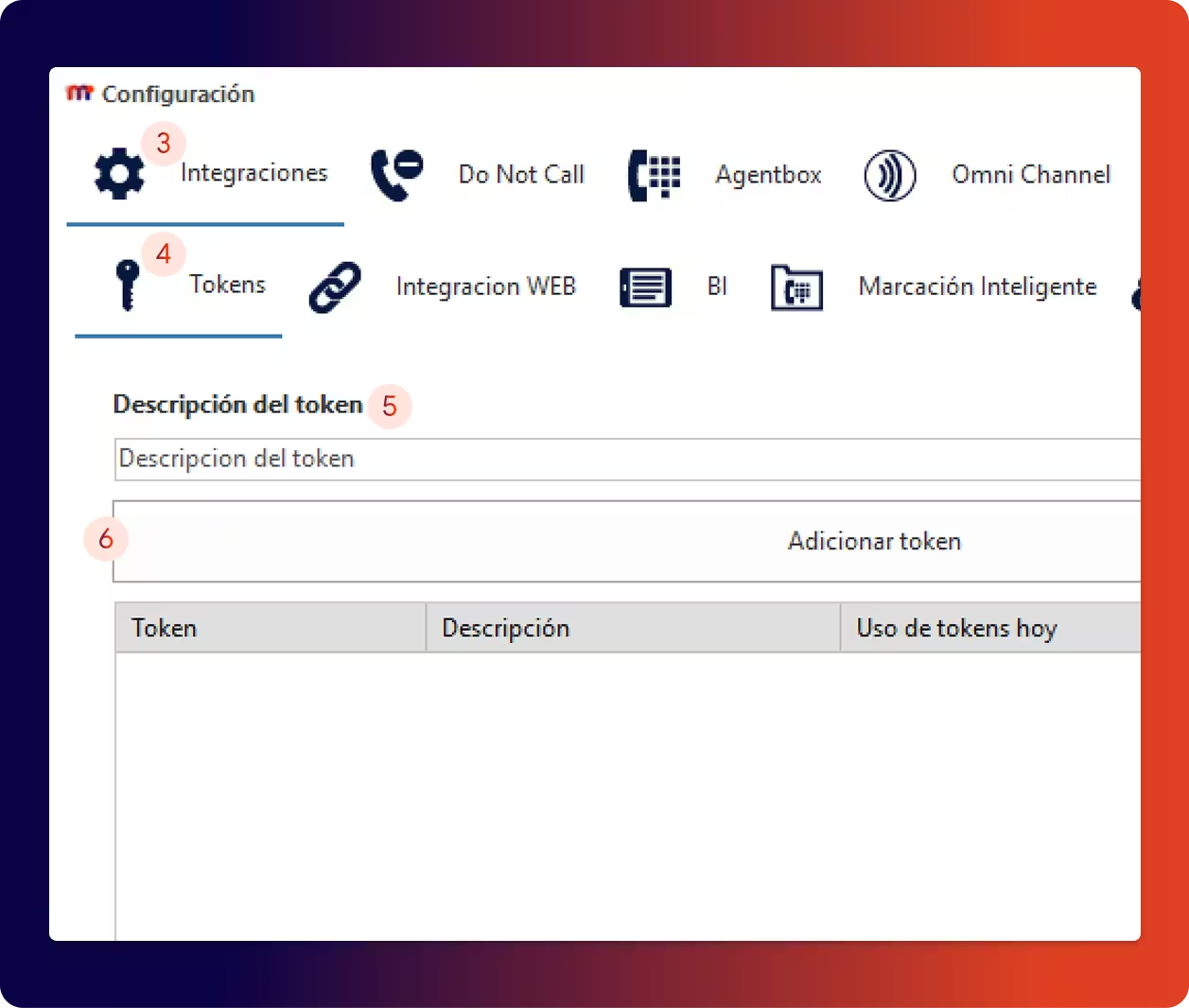
Generating your token is a simple process that you perform directly from the platform:
Access your CRM or Manager module.
Navigate to the Settings section.
Select the "Integration or Integrations" tab.
Click on the "Tokens" option.
In the "Add token" field, enter a descriptive name (e.g., "BI_Integration").
Press the add button to generate your token.
Step 2: Use your token in requests
Once created, you must include your token in every API request. Send it as an authorization header, as documented for each API.
Please note that the variable is called wolkvox-token when using Wolkvox Manager APIs and Wolkvox-Token when using Wolkvox CRM APIs.
Step 3: Identify your server
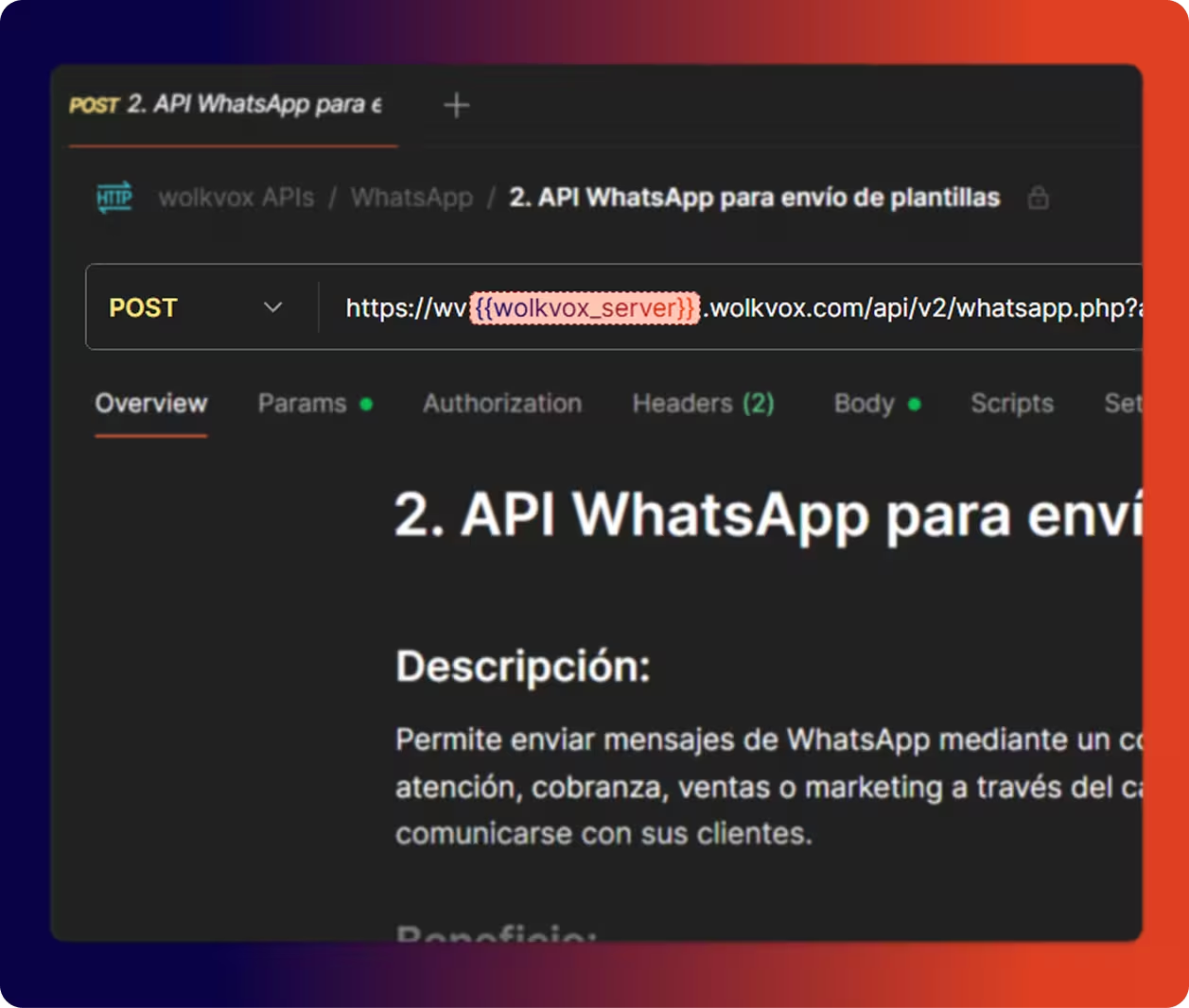
Our API URLs use placeholders that you must replace with your specific server. This information is documented in the service creation communications during implementation.
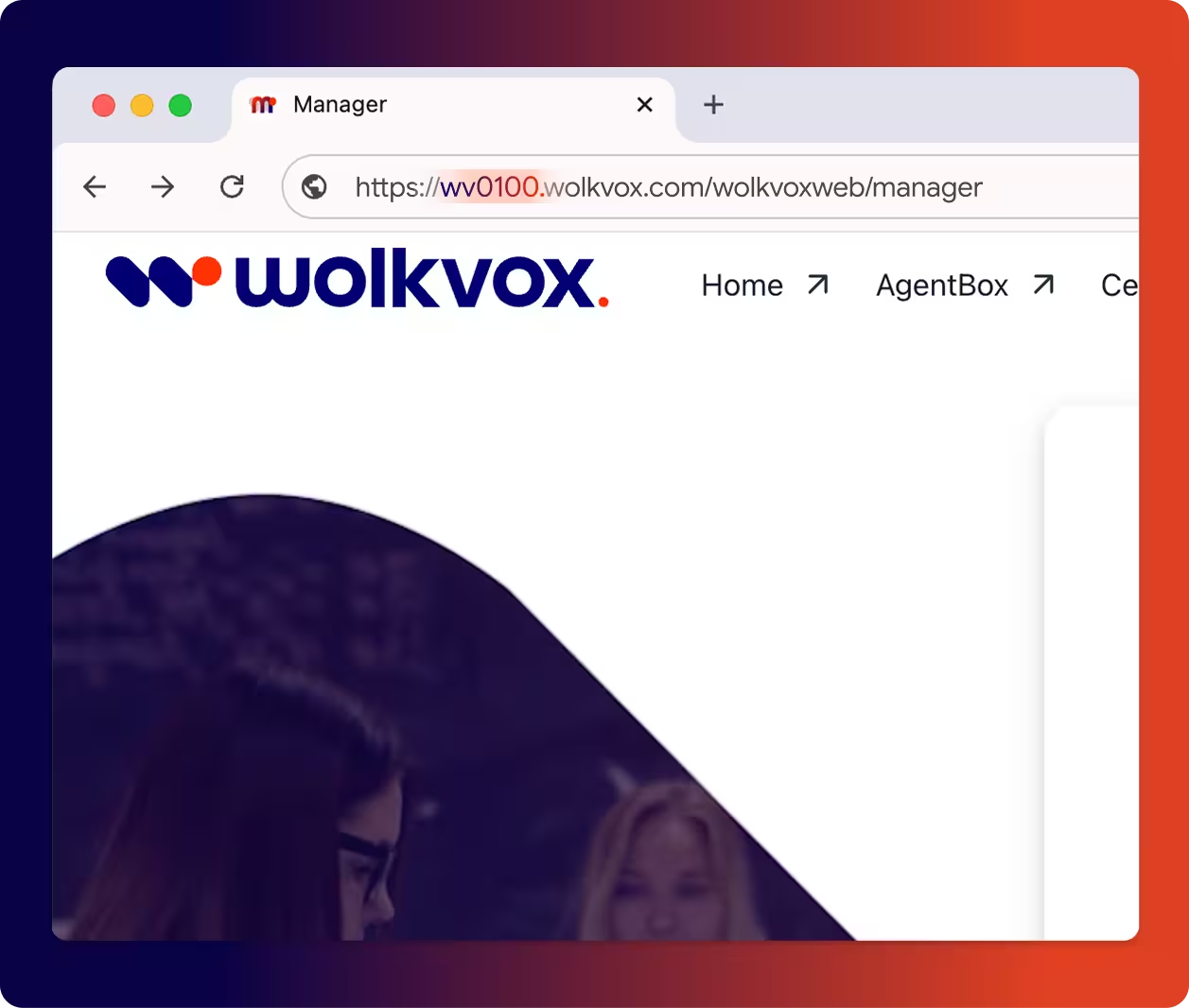
WVX Manager
Replace {{wolkvox_server}} with the last 4 digits of your server (example: wv0100)
WVX CRM
Replace {{crm_server}} with your specific server, which you get from the authentication URL (example: crm0000.wolkvox.com)
APIs by platform
Explore all available capabilities
Integrate, automate, and control your entire omnichannel operation from a single source. WVX Manager APIs allow you to connect voice, chat, reports, campaigns, quality, and real-time analytics.
Agents V1 and V2
Automate call controls from any external application
Reports Manager
Integrate Omnichannel interaction data into your BI systems and build custom reports
Real Time
Build real-time dashboards or automate alerts and relevant information for business areas.
Campaigns
Automate all administrative tasks for your campaigns and measure the most relevant processes for managing a multichannel outbound strategy.
Configuration
Automate configuration processes, user provisioning (onboarding and offboarding), service setup, and object creation for optimal management of your operations.
Billing
Optimize and measure service consumption to ensure an efficient FinOps strategy, reducing costs and optimizing resources based on business needs.
WhatsApp and SMS
Leverage digital channels from any external system to optimize messaging and manage it uniformly within Wolkvox.
Customer
Export relevant agent, role, and campaign information based on business needs.
Information
Efficiently manage what you have configured to support the company's Omnichannel service and automate the controls you deem necessary.
Quality
Measure your agents' performance and productivity to achieve high satisfaction levels and ensure optimal quality assurance.
Speech Analytics
Analyze every verbal and written interaction in detail to measure VoC, Satisfaction levels, and all the most relevant contact reasons for continuous improvement.
Gamification
Optimize sales processes by effectively measuring the most relevant KPIs.
ListenVox
Manage speech analytics services.
Connect WVX CRM with the rest of your ecosystem. Insert, query, or update case, sales, or collections data, automate tasks, and extract real-time information for your BI systems.
Case, Sales, and Collections Management
Insert new information, query specific data, and update existing records across all your custom modules.
Data Extraction
Get report data to integrate with your BI systems or real-time databases.
Task Automation
Execute actions and trigger CRM processes from your own developments or external applications.
Technical References

Record download limit per consumption: 60,000 records.
Record upload limit per consumption: 10,000 records.
Date query limit: 31 days.
Result size limit: 256 MB.
API consumption time limit: 60 seconds.
Concurrent token usage limit: 2 simultaneous requests.
Daily token limit: Number of licenses multiplied by 1000 daily tokens.
Error Codes and Solutions
Our APIs use standard HTTP response codes. When a request cannot be completed, you will receive a specific error code along with a message that tells you exactly what went wrong and how to fix it.